From brief to SFMC email in minutes.
BriefSync turns your campaign brief into segmented, ready-to-send Marketing Cloud emails. Write the copy, pick images per audience, and sync. BriefSync generates the AMPscript for you.
No credit card required · Cancel anytime · Setup in minutes
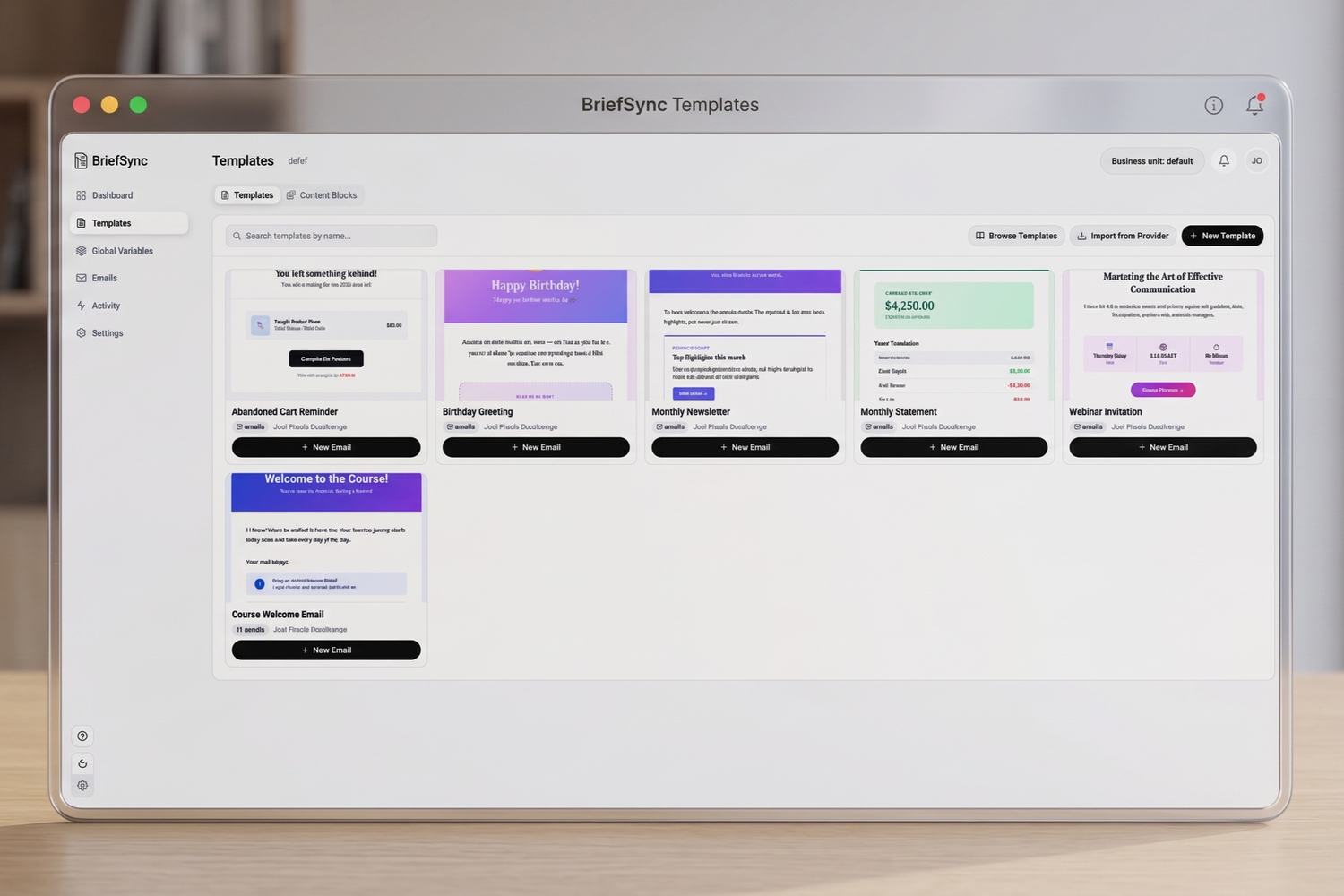
Personalizing one email shouldn't take five handoffs and a dev ticket.
Copy in spreadsheets, AMPscript written by hand, QA loops on every variation. BriefSync puts the whole workflow in one place.
| Manual SFMC workflow | BriefSync | |
|---|---|---|
| Production time | 2–5 days per campaign | About an hour* |
| Segmentation logic | AMPscript written and debugged by hand | Generated automatically from your rules |
| Multi-language versions | Copied and pasted, version by version | Synced in one click |
| Skills required | AMPscript and SFMC expertise | None: marketers self-serve |
| Review & QA | Email threads and screenshots | Shared workspace with comments and live previews |
* Typical time reported for a segmented campaign built from an existing template. Actual time depends on campaign complexity and your SFMC setup.
From approved brief to scheduled send in four steps.
Pick a template
Choose a template or import your own HTML. BriefSync generates the AMPscript behind it.
Write & personalize
Draft your content and choose images for each audience segment, then sync to SFMC.
Preview & test
See every variation in real time and send a live test to a contact who matches the segment.
Schedule in SFMC
Schedule the send in Marketing Cloud as usual. It follows the segmentation rules you set in BriefSync.
One email, every segment.
Personalize copy and images for each audience, using the audiences you already define in SFMC.
- Segment variations managed side by side
- Segmentation AMPscript generated for you
- Data extension and primary key mapping automated

See your brief become the email as you type.
The editor jumps to and highlights the part of the email you're editing, so copywriters work in context instead of in a spreadsheet.
- Copy edited directly in your approved template
- Multi-language copy in one interface
- No HTML or code to touch

Happy with it? Sync and test in one click.
Push the latest version to Marketing Cloud and send a test to one of your own contacts who matches the current segment.
- The finished email lands in your SFMC account
- Live tests per segment, before launch
- Fewer QA loops, faster sign-off

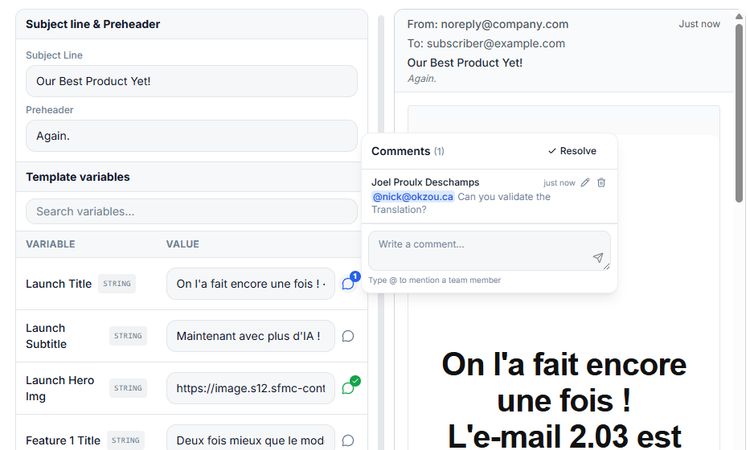
Everyone works on the same email.
Marketers, designers, email specialists and stakeholders review in one shared space, not across email threads.
- Comments right on the email
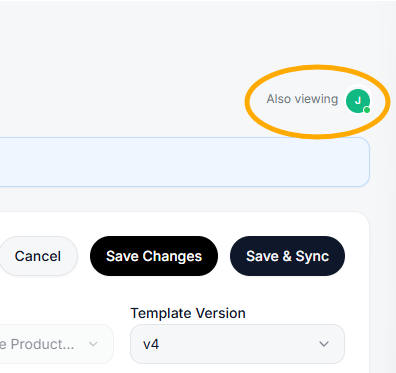
- See who else is viewing in real time
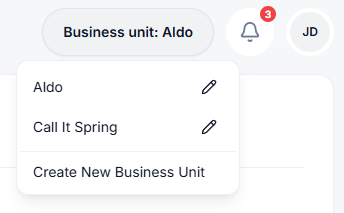
Every business unit, one app.
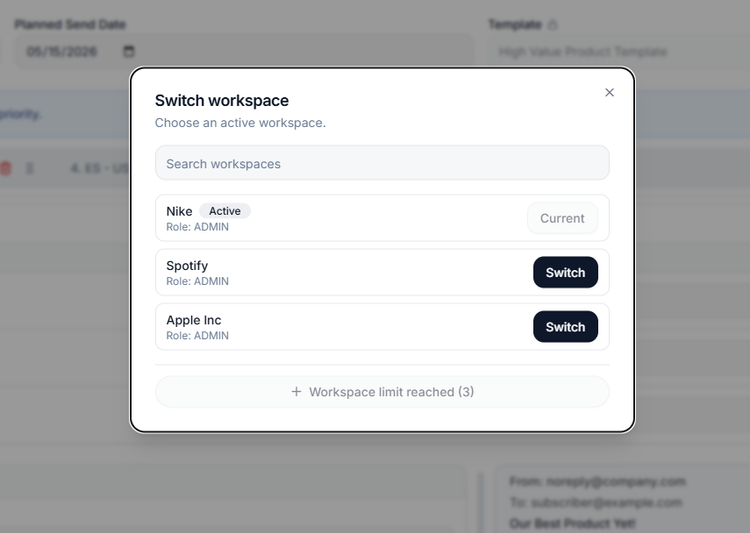
Connect to an SFMC environment quickly and switch between clients or business units in one click. Each business unit is managed like its own brand.
- Support for multiple SFMC business units
- Separate workspaces per client
Each role works where it's strongest.
Copywriters
One interface for every segment and language. Write in context, without spreadsheets.
Designers
Upload your HTML once and see it applied across every segment. Layouts stay on brand.
Email specialists
Data extension and primary key mapping, automated. Less hand-coding, fewer rendering surprises.
A great fit if…
you run segmented or multi-language campaigns in Salesforce Marketing Cloud, manage several brands or business units, or have marketers waiting on developers to build variations.
Probably overkill if…
you send simple, unsegmented broadcasts for a single brand. Your ESP's native editor will do the job.
Simple, transparent pricing.
Every plan starts with a 14-day free trial. No credit card required.
Professional
- 1 business unit
- 10 team members
- 10 templates
- 100 email syncs / month
- Email support
Business
- 3 business units
- 25 team members
- Unlimited templates
- 400 email syncs / month
- Priority support
Enterprise
- Custom number of business units
- Custom number of team members
- Custom templates and email syncs
- Audit logs
- Dedicated account manager
Prices in Canadian dollars (CAD), before applicable taxes. Self-serve plans are sold through Paddle, our Merchant of Record, which calculates taxes at checkout. Subscriptions renew automatically at the end of each billing period until cancelled, and you can cancel anytime from your billing settings. When the free trial ends, your workspace becomes inactive until you choose a plan. Payments are non-refundable except where required by law. See our Refund Policy and Terms and Conditions. View full pricing details →
Questions before you start?
Do we need to know AMPscript?
How does segmentation connect to our SFMC data?
Which email platforms are supported?
What happens after the 14-day free trial?
How do billing and cancellation work?
We're an agency. Can we manage several clients?
Who operates BriefSync, and how is our data handled?
Stop coding. Start syncing.
Start your free workspace, build your first segmented email, and sync it to Salesforce Marketing Cloud today.